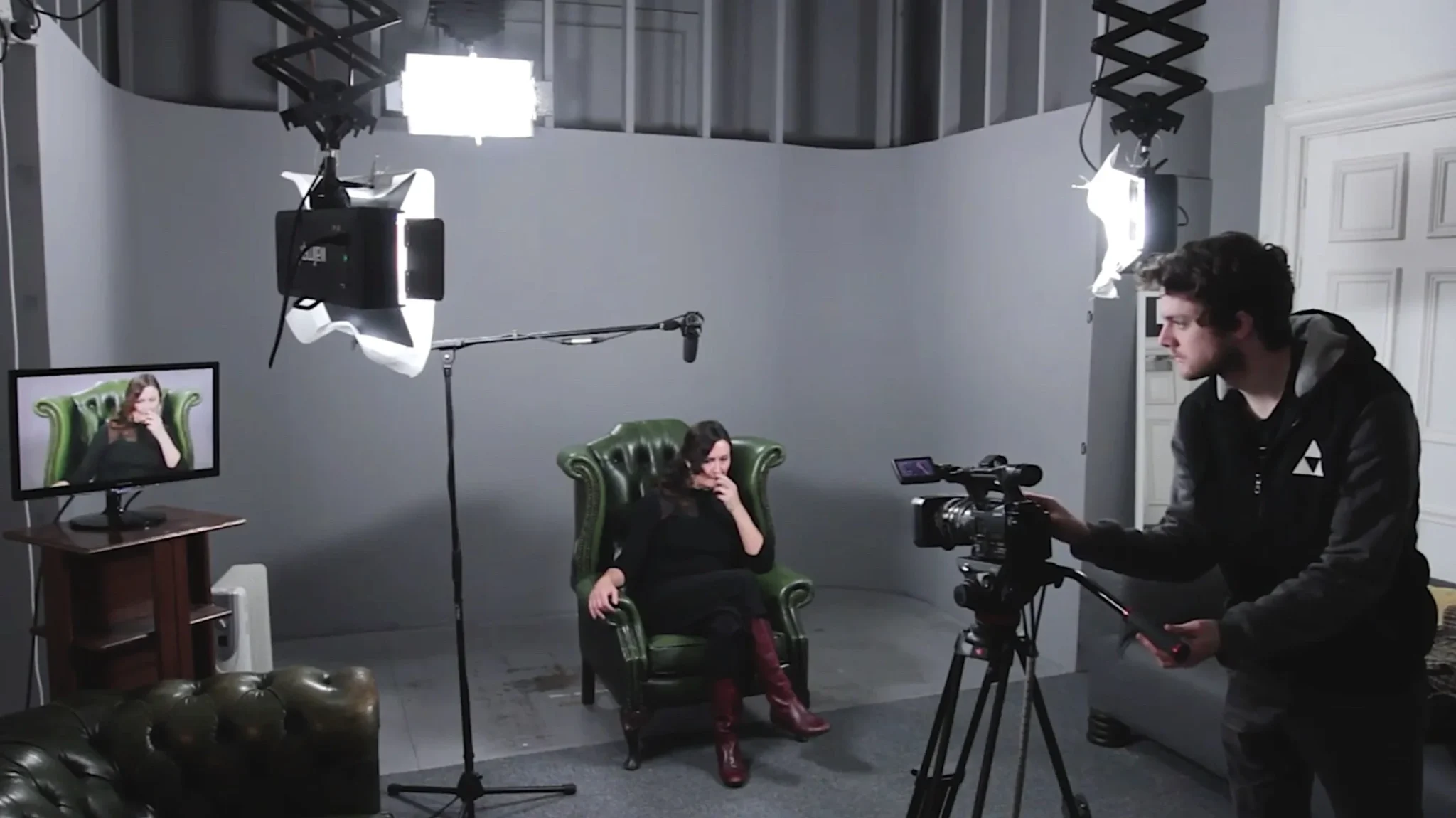
Video podcasts have become a powerful way to share ideas, build credibility, and connect more deeply with an audience. If you’re wondering how to start a video podcast, the process is far more approachable than it might seem. You don’t need a full studio, expensive gear, or years of experience, what you really need is a clear process and a workflow you can repeat.
At its core, this format combines episodic podcasting with a visual layer. It might be a solo host speaking to camera or a recorded conversation, but what truly defines it is consistency: a clear structure, recurring episodes, and a focused theme that allows the content to grow over time.
This guide walks you through the steps to launch and maintain a visual-first podcast, with an emphasis on planning, production flow, and publishing, not technical overwhelm. The goal is to help you create episodes that feel intentional, professional, and sustainable week after week.
To keep things practical, this article avoids deep dives into equipment or studio setups. For those details, you can explore our separate guides. Here, the focus is simple: a clear, realistic roadmap you can actually follow.
Create a Video Podcast: What You Gain
Creating a video podcast adds clear, practical advantages to a content workflow without changing the core idea of podcasting itself. One of the biggest benefits is reach. When you add a visual layer, your episodes can appear on platforms where video-first audiences already spend time, especially YouTube and short-form feeds. For anyone learning how to start a video podcast, this simply means making the same episode discoverable in more places, not chasing trends or reinventing the format.
Video also tends to increase engagement for many viewers. Seeing facial expressions, body language, and natural reactions helps people stay connected to the conversation. Visual cues often communicate tone and emphasis more clearly than audio alone, particularly in interviews or solo commentary, making the content easier to follow for audiences who prefer watching over listening.
Another key advantage is efficiency in distribution. A single recorded episode can be repurposed into short clips, highlights, or key moments for Shorts, Reels, or TikTok. At the same time, choosing video does not mean abandoning audio. You can publish the full episode with visuals and release an audio-only version alongside it, giving your audience flexibility without doubling your production workload.
How to Start a Video Podcast (Step-by-Step)
Starting a video podcast is most effective when you approach it as a repeatable process, not a one-off project. The priority isn’t perfection or technical complexity, but building a simple workflow you can follow consistently.
At its core, how to start a video podcast comes down to six connected steps: define, plan, record, edit and package, publish, and promote. Following this structure helps you avoid common early mistakes and keeps the focus on publishing, learning, and improving with each episode.
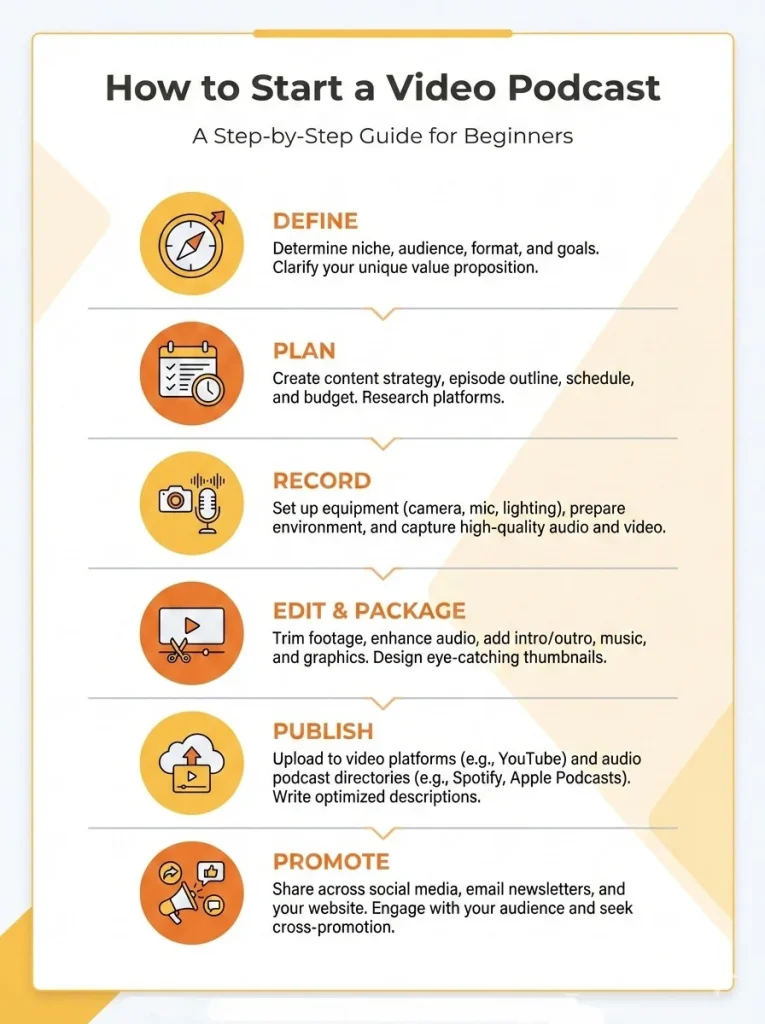
Step 1: Define the Show (Positioning in 30 Minutes)
Before recording anything, this step is about clarity. Spending 30 focused minutes defining your show will shape every episode that follows and prevent confusion later on. When people struggle with how to start a video podcast, it’s often because this foundational thinking is skipped. Begin with a one-sentence show promise that clearly states what viewers gain from each episode. Focus on value and consistency, if someone watches multiple episodes, what experience or insight should they reliably expect?
Next, define your target audience in one or two clear lines. Be specific enough to guide your tone and topics, but simple enough to remember. Then clarify your positioning or unique angle. This doesn’t need to be groundbreaking; it could be your perspective, background, format, or the way you explain ideas. The goal is to understand why someone would choose your show over similar content.
Finally, create a repeatable episode structure. Decide on the main segments, their order, and a rough length for each to reduce decision fatigue during recording. To make the launch smoother, list 5–10 starter episode ideas you can cover confidently without heavy research. Close this step by deciding on distribution: video only, or video plus an audio version. Making this choice early helps streamline publishing and promotion and sets you up to move forward with confidence.
Step 2: Choose a Video Format
Once the show is defined, the next step is choosing a video format. This decision affects how your episodes look, how much effort production takes, and how easily the format can be repeated. When thinking about how to start a video podcast, the best choice is usually the one you can maintain consistently, not the most complex one.
Here are four common video podcast formats, each with clear strengths and trade-offs:
- Talking Head (Host on Camera):
Best for: Solo podcasts, thought leadership, educational or commentary-based shows.
Trade–off: Relies heavily on delivery and presence; visual variety is limited without intentional pacing. - Static Visual or Waveform Video:
Best for: Audio-first podcasts that want a minimal video version for platforms like YouTube.
Trade-off: Lower visual engagement compared to on-camera formats. - Interview Format with B-Roll or Cutaways:
Best for: Conversations, expert interviews, and shows that benefit from context or visual support.
Trade-off: Requires more planning and slightly more editing time. - Footage- or Animation-Based Video:
Best for: Narrative, educational, or concept-driven podcasts where visuals help explain ideas.
Trade-off: Higher production effort and longer turnaround.
You don’t need to commit permanently; many podcasts evolve over time. The key is to pick one format to start, use it consistently, and refine later. For a deeper breakdown and visual examples of each option, see our full guide to video podcast formats.
Step 3: Build a Repeatable Episode Plan
This step is where your idea becomes something you can produce consistently week after week. Instead of starting every episode from scratch, you create a simple plan that guides recording, editing, and publishing. When learning how to start a video podcast, this repeatable workflow is what prevents burnout and keeps momentum going.
Begin with a lightweight episode brief. You don’t need a full script—just a reusable structure:
- Hook: a short opening that explains why the episode matters
- 3–5 talking points: the main ideas or questions you want to cover
- Key takeaway: the single insight you want the audience to remember
- CTA: a clear next step, such as subscribing, commenting, or watching another episode
If your show includes guests, prepare a simple guest workflow:
- Send a clear invitation explaining the show and its audience
- Share a short outline of the episode flow
- Provide a few guiding questions or notes to keep the conversation focused while allowing natural discussion
Finally, decide on your launch and release schedule. Many creators batch-record two or three episodes before publishing the first one to reduce pressure and give breathing room. Choose a cadence you can realistically maintain, weekly or biweekly works well for most shows. In the early stages, consistency matters far more than frequency when building a video podcast.
Step 4: Record Your First Episodes
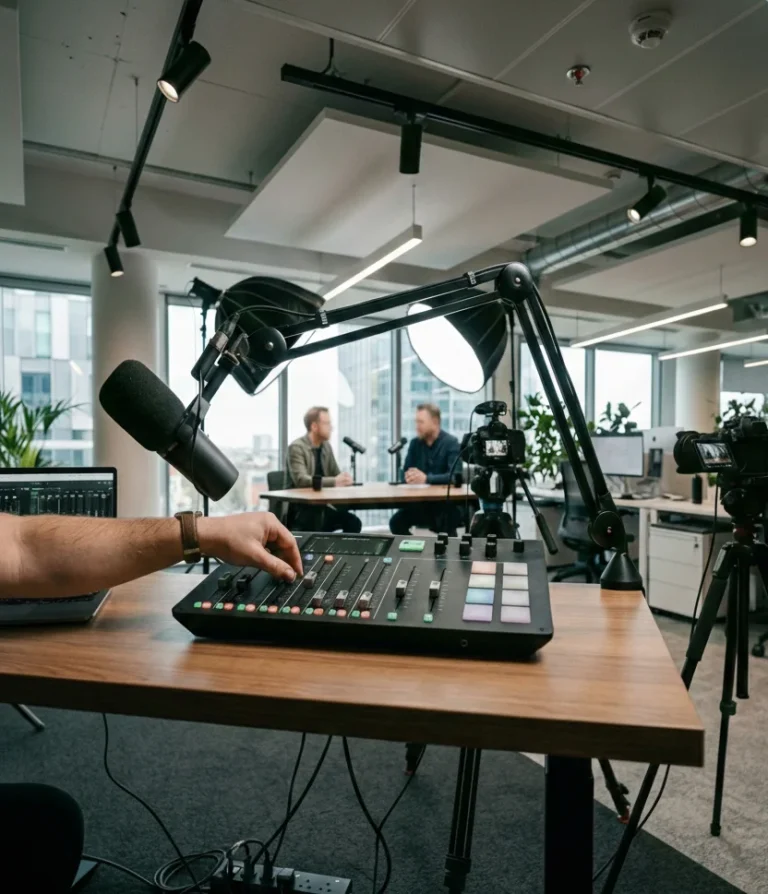
This step is about execution, not perfection. Once your plan is in place, recording your first episodes should follow a clear, repeatable flow. When people think about how to start a video podcast, they often overcomplicate this stage. In reality, a simple recording workflow is enough to get high-quality results.
Before you hit record, run a short pre-record checklist:
- Run of show: confirm the episode outline and key talking points
- Quick test: do a brief audio and video check before starting
- Roles: decide who is hosting, who is monitoring the session, and who will handle files
- Backups: ensure recordings are saved and duplicated at the end of the session
During recording, stick to a consistent episode flow:
- Intro: set context, introduce the topic or guest, and explain why the episode matters
- Main segment: follow your talking points, allowing for natural conversation
- Wrap-up: summarize the key takeaway
- CTA: tell viewers what to do next, subscribe, comment, or watch another episode
For remote recordings, coordination becomes especially important. Agree in advance on when to start and stop recording, confirm that all participants are capturing their files, and decide how files will be named and shared immediately after the session. A quick verbal confirmation at the end helps avoid missing assets.
At this stage, the goal is simply to complete clean recordings and build confidence. You can refine delivery and pacing over time, but finishing episodes is what moves your video podcast forward.
Step 5: Edit and Package the Episode
Editing is not about polishing every second, it’s about making the episode clear, watchable, and easy to understand. The main goals at this stage are clarity and pacing. Remove long pauses, obvious mistakes, and off-topic sections. Tighten the flow so ideas land cleanly, but don’t over-edit to the point where the conversation feels unnatural.
To save time and build consistency, decide what you will standardize across episodes:
- Intro and outro: keep them short and consistent so viewers know what to expect
- Episode structure: similar rhythm and segment order each time
- Chapters or timestamps: optional, but helpful for navigation on longer episodes
- Captions policy: decide whether all episodes get captions or only clips
Standardization reduces decision fatigue and speeds up production as your library grows.
Next comes packaging, which strongly affects whether people click or keep scrolling. Use a simple framework:
- Title: clear, specific, and benefit-driven (what the viewer will learn or gain)
- Description: 2–3 short paragraphs covering the topic, key points, and who it’s for
- Thumbnail concept: one clear idea, minimal text, strong contrast, and a single focal point
You’re not designing art,you’re signaling value quickly.
Before publishing, run a ready-to-publish checklist:
- The episode flows well from start to finish
- Title and description clearly match the content
- Thumbnail is readable at small sizes
- CTA is included in the episode and description
- Files are named, saved, and backed up
Once these boxes are checked, the episode is ready to go live.
Publish a Podcast (YouTube + Audio Platforms)
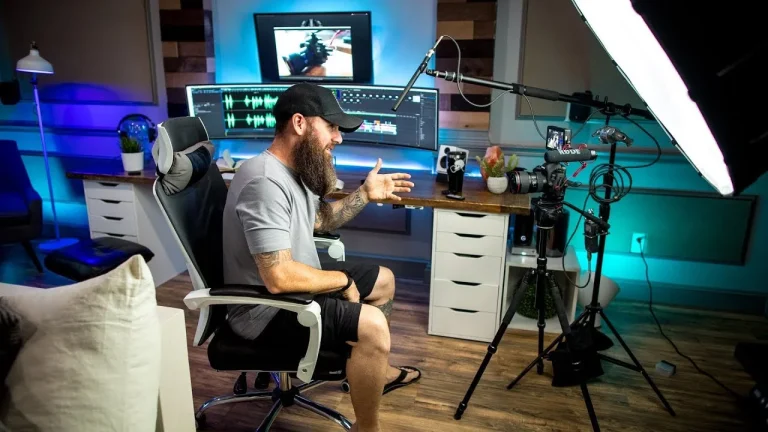
Once your episode is edited and packaged, publishing is the step that puts your video podcast in front of real people. This stage is less about tactics and more about clear distribution basics, so your content shows up where audiences already are.
Publishing on YouTube (Primary Home for Video)
For most video podcasts, YouTube is the main publishing platform. Each episode should be uploaded as a full video and organized as part of a series or playlist. Playlists help viewers understand that your content is episodic, not a one-off video, and encourage them to watch more than one episode.
When publishing, focus on clarity:
- Use clear, descriptive titles that explain what the episode is about
- Write simple descriptions that summarize the topic and who it’s for
- Keep naming and formatting consistent across episodes
YouTube supports video-first discovery, so think of it as the central hub where your full episodes live.
Optional Audio Distribution (Podcast Platforms)
In addition to video, you can publish an audio-only version of the same episode. This is optional but useful for listeners who prefer podcast apps. To do this, you use a podcast hosting service, which stores your audio files and generates an RSS feed.
That RSS feed is what connects your podcast to platforms like Spotify, Apple Podcasts, and others. Once connected, new episodes automatically appear on those apps when you publish—no manual uploads needed.
It’s important to note:
- YouTube supports full video episodes
- Podcast platforms primarily support audio (some are experimenting with video, but audio remains standard)
By publishing video on YouTube and optionally distributing audio via an RSS feed, you make your podcast accessible to both viewers and listeners, without creating separate content. This balanced approach keeps your workflow simple while maximizing reach.
How to Make a Podcast Video from an Audio Show
If you already run an audio-only podcast, this section is for you. You don’t need to rebuild your show from scratch to add a video version, your goal is simply to package existing audio in a format that works on video platforms. The best approach is the one that fits your current workflow and helps you publish consistently.
Three simple paths to create a video version
1) Add a static image over the audio: Best when you want the fastest option with minimal changes. Use a clean cover image (or a simple branded background) and keep the episode fully audio-led.
2) Add a waveform and/or captions: This makes the upload feel more “video” while staying audio-first. A moving waveform adds motion, and captions help viewers follow along, especially when watching without sound.
3) Keep audio workflow, but record video next time: If you want a true video podcast long-term, the smoothest transition is to keep your audio process the same and simply start recording video during future sessions. This avoids extra steps later and gives you more content options (full video + clips).
Step-by-step checklist
- Pick an episode
Choose one that represents your show well, clear topic, good pacing, minimal inside jokes. - Choose the visual style
Decide between static image, waveform/captions, or full video for the next recording cycle. - Add captions
Use a consistent caption style and decide whether you caption the full episode or only key segments. - Upload to a video platform
Publish with a clear title and description so viewers immediately understand what they’ll get. - Create short clips for promotion
Pull 3–7 highlight moments and post them as Shorts/Reels/TikToks to drive discovery back to the full episode.
This process lets you expand into video without turning your podcast into a complicated production project.
Mistakes to Avoid When Starting
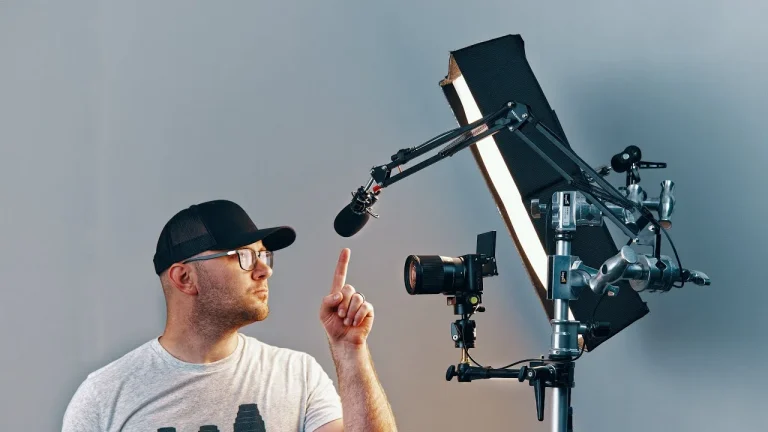
When launching a video podcast, most delays come from a few predictable mistakes. Avoiding them helps you publish faster, learn sooner, and build momentum from your first episodes. Use this quick checklist as a final reality check before you ship.
- Over-planning instead of publishing
Don’t wait for everything to be perfect, define the basics, record, and improve after your first episodes go live. - No repeatable episode template
Without a clear structure, every episode feels harder than it should; create a simple outline you reuse every time. - Inconsistent schedule
Publishing randomly makes growth unpredictable; choose a cadence you can realistically maintain and stick to it. - Weak hook, title, or thumbnail concept
Even good content gets ignored if the value isn’t clear; focus on clarity and relevance, not cleverness. - Trying a high-effort format too early
Complex formats slow you down; start simple and evolve once the workflow feels natural. - Not repurposing clips
Skipping clips limits reach; turn each episode into multiple short pieces for discovery. - Ignoring feedback
Comments and reactions are signals, not noise; use them to refine topics and improve future episodes.
Avoiding these mistakes keeps the process focused on progress, helping you get your podcast out into the world faster and more confidently.
A Simple Video Podcast Launch Plan
This launch plan turns everything you’ve learned so far into clear, doable action. The goal isn’t to build a perfect system, it’s to ship your first episode and set a cadence you can maintain.
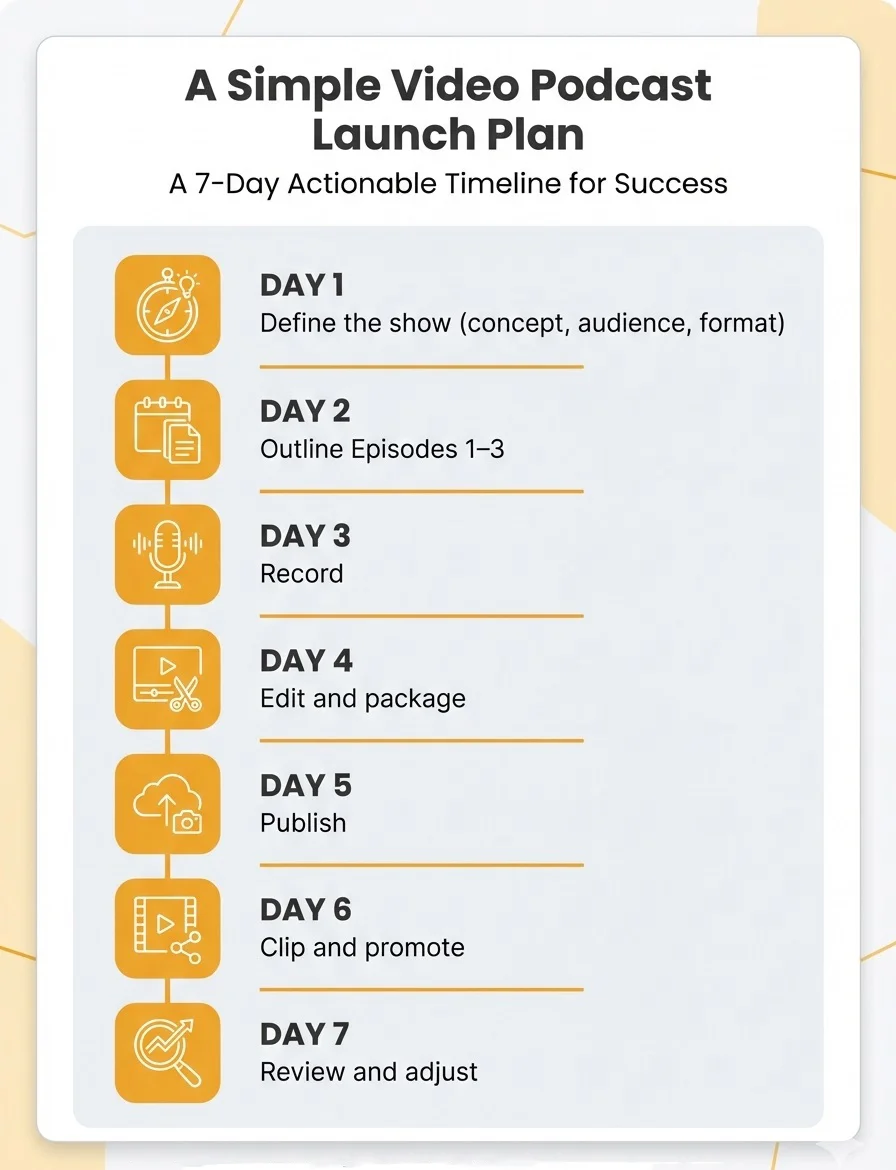
Day 1: Define the Show
Spend 30–45 minutes finalizing your show promise, target audience, unique angle, and episode structure. Decide whether you’ll publish video only or video plus audio. Write this down in one place so it becomes your reference point.
Day 2: Outline Episodes 1–3
Create brief outlines for your first three episodes using the same template (hook, talking points, takeaway, CTA). This removes pressure and gives you a short runway after launch.
Day 3: Record
Record one or two episodes in the same session if possible. Focus on completing clean takes, not perfect delivery. Follow the same intro, main, wrap, CTA flow each time.
Day 4: Edit and Package
Edit for clarity and pacing, then add your standardized intro/outro. Write a clear title and description, choose a simple thumbnail concept, and prepare the episode for publishing.
Day 5: Publish
Upload the full episode to YouTube and, if planned, release the audio version through your podcast feed. Add it to a playlist or series so it’s clearly episodic.
Day 6: Clip and Promote
Create 3–5 short clips from the episode (hook, insight, or story moments) and schedule them across your channels.
Day 7: Review and Adjust
Scan comments, watch basic performance signals, and note what resonated. Use those insights to refine the next episode, not to restart the whole process. This simple plan gets your first episode live quickly and sets the foundation for consistent publishing going forward.
When You Don’t Want to Do It Alone
Not every creator wants to manage a video podcast alone, that’s where Helio, a full-service advertising agency, steps in. Helio helps turn ideas into structured, publishable episodes, supporting everything from show positioning and episode format to recording, editing, and distribution. The goal is to streamline your workflow, letting you focus on creating content while ensuring each episode moves efficiently from concept to audience.
At its core, starting a video podcast doesn’t require perfect setups, just clarity, consistency, and a repeatable process. By defining your show, planning episodes, recording with intention, publishing on the right platforms, and promoting clips, you can turn your idea into a sustainable content engine. Whether you manage it yourself or partner with Helio, the key is to launch, learn from feedback, and improve with each episode.